
recast ·
Introducing ReCast Creators: make the scene, get the credit
Now you can make your own ReCast scenes. Upload a clip, say who gets swapped out, and it's live in the feed for anyone to star in. Every scene is credited to your @username, every recast counts toward your milestones, and you get a public creator page to share.
Since ReCast opened up last month, you've recast clips into group chats, birthday messages and inside jokes. But every scene in the feed was one we'd picked. That changes today.
Starting today, you can make your own ReCast scenes. Upload a clip, say who gets swapped out, and it goes straight into the feed for anyone to star in. Your scenes are credited to you, every recast counts, and you get a creator page of your own.
Make a scene in under a minute
Open ReCast and tap Create your own, the first card in the feed.
- Pick a clip. A movie moment, a meme, a dance. Anything up to a minute long. Drop it in and give it a title and a category.
- Say who gets swapped out. Describe the person in plain words and give each role a name in braces: "Replace the man in the long black coat with {Neo}. Keep the slow lean back and the camera move." Each name becomes a photo slot that people fill in when they recast it. A scene can have up to four.
- Hit Add scene. That's it. It's live in the feed right away, and you can recast it yourself to see how it comes out.
The model, manual cuts and the link name are all tucked under Advanced. They're set up for you, so you never need to touch them.
Your name on every scene
The first time you make a scene, you pick a @username. That's how the feed credits you: your handle sits on every card you make and on the scene's "by @you" chip. Only your username is shown, never your name or email, and you can change it whenever you like.
A creator page that's all yours
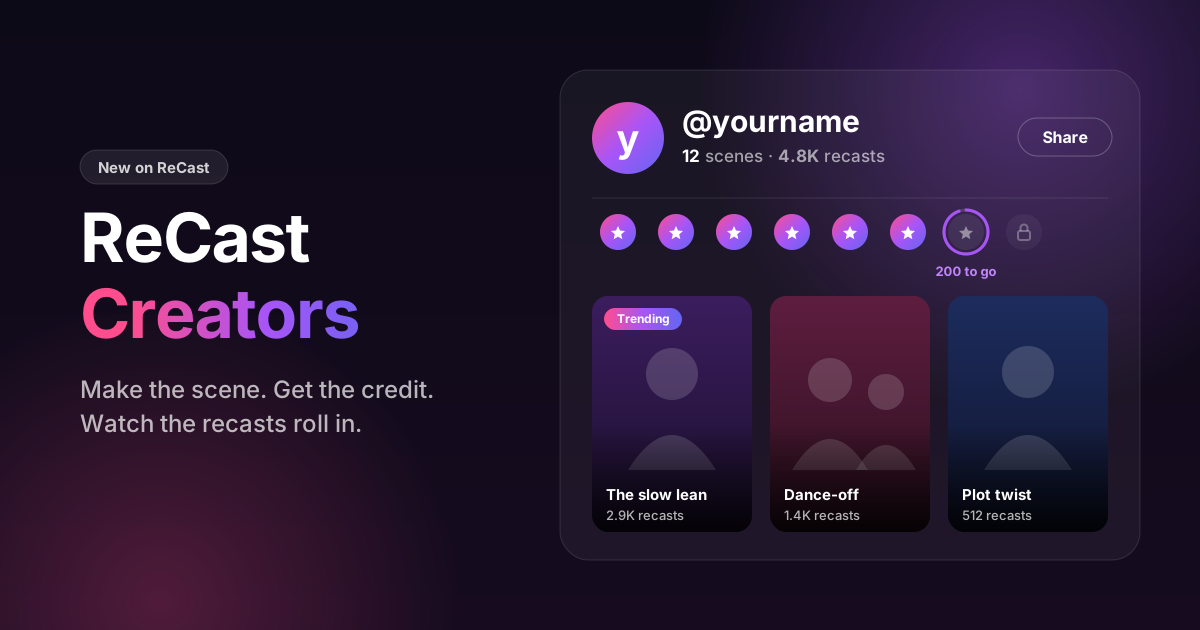
Every creator gets a public page at /recast/@yourname. It shows your scenes as they look in the feed, how many scenes you've made, and how many times they've been recast. Anyone can open it, even without an account, and any scene on it is one tap from being recast.
Hit Share to send the link to your friends or drop it in your bio. It's your portfolio for the clips you've put out into the world.
Watch your recasts roll in
Your own dashboard, My scenes, is where you keep score:
- Your total recasts, counting up, with a +N new badge for everything that's come in since your last visit.
- This week's recasts, and how many different people they came from.
- Every scene's numbers: its recasts, where it sits in the feed, and a Trending badge once it hits three recasts in a week.
- Recent recasts as they happen.
- Sort by latest or most recast, so you can see your hits at a glance.
A recast is another person making a clip from your scene, so every number on the page is real people playing with something you made.
Milestones
Recasts unlock milestones along the way, from your First fan to On the radar, Crowd pleaser, Hitmaker, Viral, Icon, Legend and, at 10,000 recasts, Hall of fame. Your next one is always in view with a progress bar showing how close you are. Pass one between visits and you'll get a little celebration when you're back. 🎉
Milestones never reset. Nothing is lost for taking a week off.
Who can create
Making scenes is open to any account that has bought credits. Any credit pack unlocks it. You can add up to 20 scenes a day.
Browsing the feed and creator pages stays free, with no account needed.
Keeping the feed fun
Scenes go live the moment you save them, so the same rules as the rest of ReCast apply. Every clip is screened when it's uploaded. No sexual content, nothing meant to embarrass or harass a real person, and nothing you don't have the rights to share. Our curators can take a scene out of the feed, and if they do, you'll see it marked as hidden on your dashboard with the reason. The full rules are in the Terms of Use.
What's next
Creator rewards are on the way. We're not ready to share the details yet, but we're building ways to recognise the people whose scenes the feed can't stop recasting. Keep an eye on your dashboard.
In the meantime, go make the scene everyone wants to be in. We can't wait to see what you make.
- recast
- video
- announcement
- creators
- character swap
 Questions or thoughts? Bring them to r/DreamfortThe team and other DreamFort users answer there.